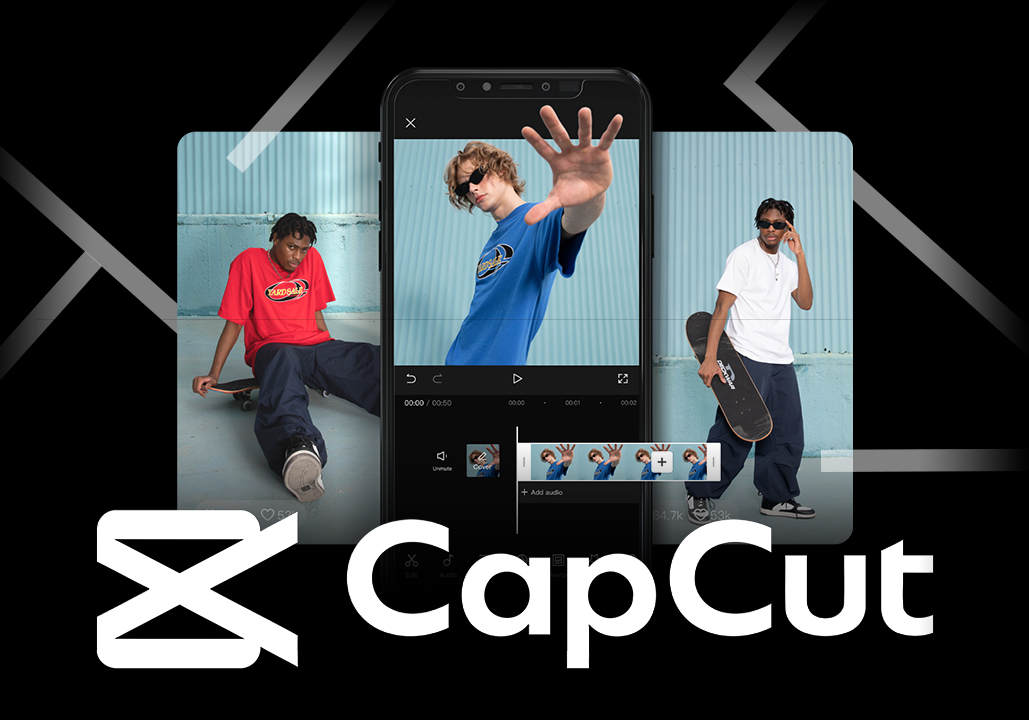
If you’re looking for an easy yet powerful way to edit videos, CapCut is one of the best video editing tools available today. Whether you’re creating content for TikTok, YouTube, Instagram, or even your business, CapCut offers everything you need—completely free and incredibly easy to use.
From AI-powered editing features to professional-level effects, CapCut has quickly become a favorite among creators worldwide.
In this guide, we’ll explore why CapCut stands out, its key features, and how you can use it to create high-quality videos—even if you’re a beginner.
What Is CapCut?
CapCut is a free video editing software developed by ByteDance (the company behind TikTok). It is available on:
-
Mobile (iOS & Android)
-
Desktop (Windows & Mac)
-
Web browser
CapCut is designed to make video editing simple while still offering advanced tools for creators.
Why CapCut Is So Popular
CapCut has exploded in popularity, especially among social media creators.
Here’s why:
1. Completely Free to Use
Unlike many editing tools, CapCut offers:
-
No subscription required
-
No watermark (in most cases)
-
Access to premium-level features
This makes it perfect for beginners and small creators.
2. Extremely Easy for Beginners
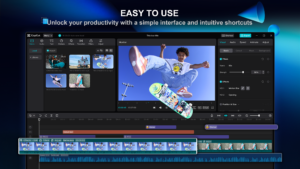
CapCut’s interface is clean and intuitive.
You can:
-
Drag and drop clips
-
Add effects in one click
-
Edit videos without technical knowledge
Even if you’ve never edited a video before, you can learn quickly.
3. Powerful AI Editing Features
CapCut stands out because of its AI tools.
Popular features include:
-
Auto captions (speech-to-text)
-
Background removal
-
AI video enhancement
-
Text-to-speech
These features save time and improve video quality.
4. Perfect for Social Media Content
CapCut is optimized for platforms like:
-
TikTok
-
YouTube Shorts
-
Instagram Reels
You can easily:
-
Resize videos
-
Add trending effects
-
Use built-in templates
5. Rich Library of Effects and Music
CapCut provides:
-
Filters and transitions
-
Stickers and animations
-
Royalty-free music
This helps you create engaging videos without extra tools.
Key Features of CapCut
1. Timeline Editing
CapCut offers a professional-style timeline:
-
Cut, trim, and split clips
-
Adjust speed
-
Add layers
2. Auto Captions
One of the most useful features for creators.
Benefits:
-
Improves accessibility
-
Increases engagement
-
Saves hours of manual work
3. Templates for Fast Editing
CapCut includes ready-made templates.
You just:
-
Upload clips
-
Apply template
-
Export video
Perfect for beginners.
4. Video Effects and Transitions
CapCut offers hundreds of:
-
Visual effects
-
Smooth transitions
-
Motion graphics
5. Export in High Quality
You can export videos in:
-
1080p
-
2K
-
4K
This makes CapCut suitable even for professional content.
How to Use CapCut (Step-by-Step)
Step 1: Download or Open CapCut
You can:
-
Install the app
-
Use the web version
Step 2: Import Your Video Clips
Upload your footage into the editor.
Step 3: Edit Your Video
-
Trim unwanted parts
-
Add transitions
-
Insert text or captions
Step 4: Add Music and Effects
Choose from the built-in library.
Step 5: Export and Share
Export your video and upload it to your platform.
How to Make Money Using CapCut
CapCut is not just a tool—it can help you earn money.
1. Create Social Media Content
Grow your audience and monetize through:
-
Ads
-
Sponsorships
2. Offer Video Editing Services
Freelancers can use CapCut to:
-
Edit client videos
-
Create marketing content
3. Affiliate Marketing
Create videos promoting products and earn commissions.
4. YouTube Channel Growth
Use CapCut to create:
-
Tutorials
-
Reviews
-
Short-form content
CapCut vs Other Video Editors
| Feature | CapCut | Other Editors |
|---|---|---|
| Price | Free | Paid |
| Ease of Use | Very Easy | Medium–Hard |
| AI Features | Strong | Limited |
| Social Media | Optimized | Not always |
CapCut is ideal for beginners and content creators.
Is CapCut Worth It?
Let’s be direct.
If you want:
-
A free video editing tool
-
Easy-to-use interface
-
Powerful AI features
Then CapCut is absolutely worth using.
It’s one of the best tools available today for both beginners and experienced creators.
Final Thoughts
CapCut has changed the way people edit videos.
With its combination of:
-
Simplicity
-
Powerful features
-
Free access
it has become one of the most popular video editing tools in the world.
If you’re serious about content creation, CapCut is a must-have tool.
Start Editing with CapCut Today
👉 Try CapCut now and create professional videos in minutes.
Perfect for:
-
Beginners
-
Content creators
-
Business marketing
